random($foo)

Archive for the ‘Tech’ Category

Hot Damn

Tuesday, December 29th, 2009

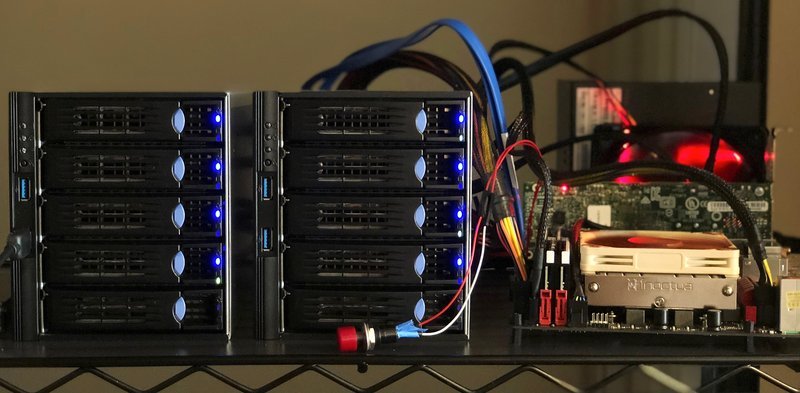
Moving to a new server – 2.75TB of usable storage (quad core, 8GB RAM) and less expensive than my current one (an old Athlon64 X2 w/ 2G RAM I’ve had for.. 26 months). I stuck w/ NetDepot, who I’ve been super happy with for hosting.

Linux nd11544 2.6.31-16-server #53-Ubuntu SMP Tue Dec 8 05:08:02 UTC 2009 x86_64

To access official Ubuntu documentation, please visit:
http://help.ubuntu.com/

  System information as of Tue Dec 29 16:03:03 CST 2009

  System load:    0.0                Memory usage: 0%   Processes:       121
  Usage of /home: 0.0% of 784.65GB   Swap usage:   0%   Users logged in: 1

  Graph this data and manage this system at https://landscape.canonical.com/

Paul Graham Nails It

Friday, November 20th, 2009

I’m not always in agreement with Paul Graham, but he’s absolutely spot on with his essay on how broken the Apple App Store is and how it’s disastrous.

So I bought it, but I bought it, for the first time, with misgivings. I felt the way I’d feel buying something made in a country with a bad human rights record. That was new. In the past when I bought things from Apple it was an unalloyed pleasure. Oh boy! They make such great stuff. This time it felt like a Faustian bargain. They make such great stuff, but they’re such assholes. Do I really want to support this company?

This essay is just chock full of good stuff and worth a full read.

How would Apple like it if when they discovered a serious bug in OS X, instead of releasing a software update immediately, they had to submit their code to an intermediary who sat on it for a month and then rejected it because it contained an icon they didn’t like?

By breaking software development, Apple gets the opposite of what they intended: the version of an app currently available in the App Store tends to be an old and buggy one.

If your company seems evil, the best programmers won’t work for you. … But the real problem for Microsoft wasn’t the embarrassment of the people they hired. It was the people they never got. And you know who got them? Google and Apple. If Microsoft was the Empire, they were the Rebel Alliance. And it’s largely because they got more of the best people that Google and Apple are doing so much better than Microsoft today.

Frickin’ Lasers! (and Pico Projectors)

Monday, September 28th, 2009

Until this weekend, my interest wasn’t very piqued by the whole pico projector trend. They’ve been pretty low-res, low-light, and limited battery-life affairs. Even as a super-heavy traveller, I’ve rarely felt the need to project from my phone or even my laptop w/ a pocketable projector. The space has been heating up recently (720P? >10 Lumens? 2-4hr battery life?), but what really caught my attention was seeing that Microvision was finally releasing a real product using their laser-based projection technology.

Although I’ve never bought a product from Microvision, I feel like I have a bit of a history with them: one where they’ve constantly disappointed by having incredibly cool technology that never made its way into my grubby little hands. Back in the early 2000’s I went through a huge AR nerd period. At the time, with academia failing to pull through with gear, I started looking at what was commercially available, and found the Microvision Nomad – a $4-6K system that had a red laser pointed at your eyeball running Windows CE (breathtaking I know – I decided to wait for the next generation). Unfortunately, after hitting some financial difficulties, Microvision all but abandoned their AR displays, and no one else (Olympus, Brother, Sony, or Microvision themselves) has released any commercial AR overlay displays since (there appears to be a booming military market for these, however)…

Which leads us to Microvision’s recent focus on pico projectors. While this may have been the right financial decision to make, it was always for me, a pretty boring path, both in comparison to the AR products and also when considering the limitations of the projectors themselves. The Microvision SHOW WX at version glance doesn’t seem to be all that great – it’s only 10 lumens, battery life of 1.5-2 hours, and a WVGA resolution. (Oh, and it’s about 50% overpriced compared to its competition.)

That being said, one thing did catch my eye. Because of their projector is laser-based, it has infinite focus. That is exactly what you think it is – multi-planar (and non-planar) projection is automatically focused, no mathematical tricks required.

Which isn’t to say that there isn’t awesome math that can’t still be applied. Check out these vids on using structured light and pixel shaders to do some astounding color and geometric correction on arbitrary surfaces:

Of course, there’s even more fun stuff that can be done, with structured light (such an awesome term) like Johnny Lee’s work on projector based tracking:

In the same way that AR on simple magnetometer/accelerometer equipped cell phones (no IMUs or HUDs ma!) proved to have surprisingly useful (well, at least interesting) applications, so will, I suspect, these pico-projectors. Assuming there are some fast GPUs w/ flexible shader pipelines available in portable form… – well, even without that, there should be lots of interesting visual applications…

Lessons from Android: Unintended Consequences (or How to Kneecap Your Developer Community)

Friday, September 25th, 2009

An interesting clusterfuck has been brewing within part of the Android Dev Community – how serious of a long-term effect and what ultimate spillover it will have remains to be seen, but I thought it’d be worth gathering some notes about this as it develops. It started yesterday as something, that on the surface, only effected an important, but miniscule percentage of Android users, but that over the course of a day, has blown up into something may actually have potentially long-term consequences on the Android platform as the open mobile platform of choice.

Yesterday, Cyanogen, an Android community developer who maintains the most popular (and arguably best) alternate Android firmware, CyanogenMod, mentioned receiving a cease and desist from Google Legal.
Alternate firmwares (or custom ROMs) are along the lines of the custom WinMo firmwares that enthusiasts have been putting together for years (and in fact, there is at least some community crossover, including some shared forums). I only recently discovered CyanogenMod after complaining to the one Android superfan I know about how slow the Android phone I had was, and it was to me a night and day improvement over the stock firmware – performance went from unusably laggy to downright zippy.

Now, while Google is obviously within their legal rights (the C&D was specifically about redistribution of their closed source components), honestly, I’m rather baffled by this. It just doesn’t make any sense from a practical perspective – these apps are distributed with all the phones that the Cyanogen firmwares can be installed on, and are mostly used by a small set of the platform’s most dedicated enthusiasts (low tens of thousands at most, less than 1% of the Android userbase) – and of course, by a select few hobbyist developers putting in an inordinate amount of time in maintaining the firmwares and supporting those users. Not only is there no upside in attacking this community, but I can’t picture any scenario where there would be a net-positive outcome for Google.

As you can imagine, once word spread about the C&D, a community reaction was inevitable. A petition app was quickly put on the Marketplace (not the worst idea, honestly), and there were a few mentions in the more general tech news, although I haven’t noticed a big splash (say on Techmeme)… yet. That may change soon, I believe, as the fallout is now much bigger than inconveniencing a few “modders.”

Earlier today, Dan Morrill posted an official position statement on the issue. His statement about redistribution of closed source components seemed straightforward enough, but the implications are still unfolding. It turns out that by explicitly outlining the legal boundaries for closed-source components, we learned that not only core parts of the Android experience (like the Google Mobile services and Marketplace app), but also parts of the SDK and other base components are also protected. This news doesn’t just kill custom ROMs, but potentially makes Android as an open source project not viable at all. From Cyanogen’s Twitter stream:

@crazywizdom it’s pretty much like a bare bones linux install without the google bits. no contact sync or anything like that. #

From what they explained to me, you are not even allowed to copy the proprietary applications from your device. #

@gacktoh but you can’t distribute the market app. And it relies on the Google Mobile services anyway. #

I’m trying to get clarification now on what can actually be included. There are things in the SDK that aren’t in AOSP. Very confusing. #

Oh yeah, one last tweet before I violate the don’t-tweet-while-drunk rule. Nandroid is probably illegal. Awesome huh. #

All this woe (that’s counterproductive towards Google’s interest even if weren’t a PR, and now full on developer community nightmare – the custom firmware releases brought steady streams of improvements to tide over the true believers to what has been thus far, a somewhat lacking software product), probably set in motion because some PM got wind of the v1.6 Marketplace app being on the phone and got in a snit, setting the legal wheels in motion. And poof, over the course of a day, a cascade of events leading… who knows where.

Which is not to say that this can’t be fixed. The Google folks (even the legal teams) are smarter and more agile than most – if this is a priority, there are many ways to patch things up, from offering some sort of non-commercial redistribution terms, or having the Android team announce that they’re working with the community to make sure that they’re making it a priority to make sure that custom firmwares can be installed w/o touching the proprietary APKs, or that the AOSP is useful as an end-user installation (both of which jbqueru at least appears to already be moving on).

As it is though, it appears that Google has just shat on it’s biggest enthusiasts, and has given a good cause for those who are supporting Android as an “open” alternative to actively consider how far that openness extends (and realize how ostensibly “open source” Android really is). And of course, it’s a shame that there won’t be any more CyanogenMod builds. Still, this has been pretty fascinating to watch unfold, and should be of interest to anyone managing developer communities or trying to create an “open” platform…

(If you’re interested in following the conversations moving forward directly, the Twitter streams of cyanogen and Android developer jbqueru seem worth following.)

UPDATE: To some degree, this will probably blow over, since over the weekend Cyanogen announced he will continue w/ his work (after developing a new backup procedure to allow backup and re-installation of Google apps and with the inclusion of an alternate marketplace). Still, these are the types of incidents that chip away at social capital and reputation (until suddenly one day, the public no longer gives you the benefit of the doubt and any action taken gets looked upon in the worst possible light) – not to mention the amount of ultimately, pointless (or at least, repeated) man-hours that will be spent engineering a technical workaround to a policy problem.

Palm Pre: Two Months In

Tuesday, August 25th, 2009

I’ve been catching up recently on the Android switching (you can read the weeks where I tried out a Palm Pre, Google Ion, and iPhone 3G)… As for me, I ended up switching to a Palm Pre, and after taking it around the country for a two months as my primary device, I thought I’d give an update…

  • Reception – having carried the phone around in SF, LA, NY, Portland, and Boston, I’ve been extremely happy – it’s an amazingly huge improvement over my AT&T service- my only dropped calls happen with friends on AT&T, and the data connection is very good – I even get data underground on BART throughout SF.
  • Voice Mail – I’ve remembered how much I hate voice mail. I have Google Voice… my initial reading seemed to be that call-forwarding for Sprint was an all or nothing proposition, but there might be some options for that… I’ll be trying to get that setup (even at 20 cents per minute, it’d be worth it to not have to listen to VMs).
  • Maps – my original hope was that the GMaps app would be decent, but really it’s pretty pathetic. It’s worse than the Android version, and far inferior to Apple’s Map application. It’s been a bit surprising to me how much better Apple’s implementation is (they write their own app, they just use Google’s tiles). You’d think that Google would be able to do a better job. On the other hand, I’ve found myself using TeleNav’s Sprint Navigation app more and more – it’s not ideal, as it’s hard to get out of turn-by-turn mode (I often find myself wanting to see the next turn) and sometimes it loses (or just won’t acquire) a GPS fix, but I’ve been a lot happier with its behavior in general (no problems w/ map tiles, or forgetting what it’s doing – it also has a history and interacts with my contacts) – it is however pretty battery intensive and takes a while to load up
  • Battery Life – this was my biggest complain when I first got my Pre. And for the first month it remained a huge problem – it just couldn’t last a day, which since I’m not office bound, means lasting at least from say 10am until 3am – even when I didn’t make any calls or even wake it, it’d run itself down just from its syncing. This was improved somewhat by the 1.1 update, but the main reason that it’s no longer a complaint is that I bought an extended battery – this thing adds an extra 5mm (it looks and feels like a lot more) of depth, and makes my Pre creak like no tomorrow, but it also comfortably gives me over a day no matter how much I use it (it seems to last just under 2 days in regular usage). If you’re getting a Pre, I’d say you pretty much are going to want to get either a spare battery or an extended battery.
  • Performance – My new top annoyance is now the intermittent lag/lack of responsiveness with the phone. When it’s working well, it’s really quite nice, but I find the Pre lagging out quite a bit. The dialer and autocomplete are particularly bad (not to mention that the autocomplete doesn’t have any sort of learning algorithm – no matter how many times you send to an address, you’ll never have to type less letters and it’ll never move up). Apps that have listings are also quite slow – i.e., while the 1.1 update sped up photo rendering, when you jump into the photos from the camera, it takes you to the folder list, which renders incredibly slowly. The same thing holds true for listing MP3s when jumping into the music app. But it’s not just limited to that – sometimes the launcher lags out, or app launching, or any number of things. I can’t explain why these things aren’t cached or why responsiveness isn’t made a higher priority. My biggest gripe is that when the phone lags out, it isn’t just a rendering issue, all response just grinds to a halt. I haven’t tested whether reboots do much w/ performance, but since despite using Upstart, the Pre still takes almost 2 minutes to boot (what’s up w/ that? when Ubuntu boots in 10s, I’m not sure what excuse the Pre, running on a fixed hardware platform, really has)
  • Copy and Paste – oh the irony. The iPhone now has superb copy and paste support, and it turns out that the Pre’s copy and paste is completely useless – time and time again I need to copy something from an email, web page, or text message. And I can’t! Also, the few times I can, only serves to show how awkward Palms copy and paste command/gestures are.
  • Other UI – It’s not all bad though – I remain impressed w/ the cards implementation, and the notifications just plain rock. Every time an alarm goes off, or something else pops up and I can keep typing through what I was working on, I get a nice warm fuzzy feeling. This is how it’s supposed to work people!
  • Apps – The official app store remains pretty anemic – I find myself missing some apps, like a decent Yelp app (Where is pretty substandard) or a Midori/Shazam equivalent, but the homebrew scene has been just plain making me happy. There are hundreds of homebrew apps that have been filling in the gaps (include a homebrew app “store”, scientific calculator, timers/stopwatches, a terminal, and yes, a great tethering app).
  • Headset/Microphone – one thing that is maybe a bit esoteric for some, but is actually up there with my biggest niggles, as I use this all the time is that there are some strange things with how the Pre interacts with my wired headsets. I use Ultimate Buds as my primary headset. They’re great for music and they conveniently have a remote and microphone – which the Palm Pre actually supports, with both the single click play/pause, and the double-click next track. That’s great! Unfortunately, after pausing for 5 seconds, the Pre “goes to sleep” and stops responding to the TRRS signal – to unpause, you’ll need to hit the power button or otherwise wake it before it’ll respond again. This is took a while to figure out, and is somewhat maddening – it also makes pausing somewhat useless and makes me wonder if anyone bothered to test this feature. The second big annoyance is that unlike the iPhone, which gives no microphone feedback, the Palm Pre gives you lots of microphone feedback – in fact, much more feedback than the other side of the line receives – so much so that it becomes impossible to hear the other side when there’s even moderate wind or traffic noise. This doesn’t happen without the headset and is downright retarded.

Now, while the list looks a bit weighted towards complaints, and while there are definitely some issues that well… verge on total brokenness (I’ve submitted the worst problems to Palm), most of these issues seem like they can be fixed via software updates, and on a day-to-day level, I’ve been mostly satisfied with my Pre.

The experience is absolutely not as good as the iPhone, but I guess at the end of the day, it’s still much more usable than the Android, and for me, it’s worth supporting an alternative because well, despite Schiller’s outreach, the the App Store really is abominable, not just in its practice/actuality, but also, after having given it some thought, and reflecting on its implications, as a general model.

Mobile devices are the next generation general computing/network access platform and having a device manufacturer as a post-facto gatekeeper is just not right. Getting rid of end-to-end not only reverses the freedoms that spawned the innovation on the Internet, but also creates a bottleneck on software development/distribution that I’ve never seen in modern general computing…

Oh, also: AT&T can suck it.

Kindle: One Year Report

Sunday, August 2nd, 2009

Last year, I bought a Kindle before heading out to Boston to work on the Obama campaign. Since I gave +1 week report, I thought I’d give a one year report as well.

Overall, I’ve remained relatively happy with the Kindle – I continue to carry it around with me pretty much anytime I’m traveling (bus, train, or plane) and the day to day experience, remains largely the same. This sums up both the pros and cons – it’s useful enough to be probably my most used device after my computers and cell phone because it just works – it takes only a few seconds to wake up before you’re up and reading, and only requires a few minutes of charging every few days (whenever I get around to it). On the flip side, there haven’t been (m)any major software updates. The listing screen remains as useless for managing a larger number of books, and the browser, which I use a fair amount for reading longer articles remains as weak as the day I got it.

As for the deletions, post-hoc edits, and other issues… it’s certainly remains problematic – hopefully the high profile of these occurrences force more people to think about its implications and consequences (as I did when I bought my Kindle, I’ll point out Mark Pilgrim’s essay – in light of what has happened, those that attacked the essay as polemic or hyperbolic might reconsider these dangers as quite real, and without the proper checks and balances, inevitable). That being said, in practice, my personal usage hasn’t been impacted much. I’ll probably feel differently when I decide to switch reading devices.

When I got my Kindle, I started keeping tracks of my purchases in a spreadsheet. Some details:

  • I’ve bought about two dozen books on the Kindle this past year. Lower than I would have thought, but I’ve been pretty busy this past year…
  • About 3/4 of these books are Mobi vs Topaz formatted. While there are tools for decoding your mobi books, there are none for Topaz books
  • Over 3/4 of the books are also non-fiction, for whatever reason
  • I didn’t keep track of the samples I’ve downloaded and while you can see your order history on Amazon’s site, they don’t display your sample downloads (I can’t imagine Amazon not actively crunching those numbers internally)
  • I marked down the price on Amazon when buying the Kindle books, my overall savings rate vs the Amazon price for the physical book was 39.07% or $157.84, (nowhere near the cost of the device).

On that last point though, even beyond factoring in the convenience factor, I guess that’s not quite a complete picture. I’ve also read about about the same amount of books from ManyBooks.net and other sources. And I’ve sent myself lots of documents (it seems that Amazon only started charging the delivery fee recently), and I’ve also read a few hundred articles via the browser (primarily using pushpopurl) – in fact, my default behavior for longer online articles is now to save them for reading online later. It’s not perfect – the Kindle browser really sucks, has not control over font size or line-height, and often has strange spacing issues, but even with those drawbacks, the reflective e-ink screen is so much easier on the eyes that it’s still worth it.

Nicholson Baker recently wrote a long article in the New Yorker which was pretty negative about Kindle (which I read on the Kindle, of course), and while many of his complaints are valid, I think he misses some of the point – while the E-Ink screen might not be as good as paper, for reading big chunks of text, it’s a huge improvement over a monitor. If you travel or are in the habit of reading multiple things at at once… well, you just can’t do that with physical books. He ends up recommending the iPod Touch for reading, but that doesn’t work very well outdoors or in sit-down transit (I’ll agree the iPhone is much more convenient in the subway). That he talks about the bright glow and the pleasant experience of night-time reading though seems to tell me that he doesn’t spend nearly as much time staring at screens as I do. Lastly, I’ve found that none of the other alternatives (even the iPhone) are as slick as the Kindle for personal documents. Emailing yourself a wide range of formats and getting it converted and delivered via 3G and having it pop up at the top of your reading list is just a very pleasant experience.

My major frustrations really revolve around form factor (well, being able to reasonably read A4/Letter sized two-column technical papers) and that I’m not able to better track my reading activity – not that I’d want a third party to have that information necessarily, but the types of self-instrumentation and tracking for reading patterns and the like is… exciting to me.

My next report will probably be in a year, or maybe a bit earlier if there’s a compelling alternative (the Plastic Logic reader form factor and feature set look great, however the performance might be a bit of an issue – having already gone through one horrible reader, I don’t think I’d be willing to compromise much on power management, wake-up and page turning performance).

Thoughts on the Palm Pre, G2, and iPhone 3G

Monday, June 15th, 2009

Last week, I ended up with a Google Ion and a Palm Pre. I also loaded up the 3.0GM on the iPhone 3G. With active service on all of these and a whole bunch of devices on hand, I’ll be writing up some of my opinions in depth here. Instead of spamming multiple posts, I’ll just keep adding to this page (people on feed readers may want to check back in a week).

This isn’t necessarily intended as a full review, although if you’re primary question is whether the G2 or Pre are better than the iPhone, the answer is basically no. Android is very interesting from a developer perspective, and the G2 isn’t horrible, but it has many UI shortcomings that would make me sad if I had to carry it around as my daily device. The Pre on the other hand, is something I’d carry around (and in fact I’ll be switching to it as my primary phone), but in most regards for most people it is not better than iPhone 3.0 (OS features, responsiveness, battery life, applications). Which isn’t to say it’s much worse, but that if I were to give a recommendation, all other things being equal, I’d recommend someone go w/ a 3GS over a Pre. Given that statement, why am I switching? Here are my reasons (they may or may not apply to you):

  • In the cities I frequent (SF, LA, NYC), AT&T reception has been getting increasingly worse – a good quarter of my calls drop in SF, especially when I head downtown, and this past LA trip racked up a good 50% call failure rate across West LA, Culver City, Downtown, and Arcadia (this I’m sure is exacerbated when both ends are on iPhones). In comparison, on calls I’ve made this week w/ the G2 (T-Mobile) and Pre (Sprint), I’ve had no dropped calls at the same locations. Also, 3G data just doesn’t work in downtown SF and it seems, anytime there are lots of iPhones in an area. This is a problem that seems to be common enough, but as AT&T seems to not be acknowledging these problems and is unable or unwilling to fix them, and with the introduction of both more desirable and cheaper iPhones, I can only surmise that this will get worse. (somewhat related to that, I’ll also be saving $15/mo on my bill ($360 over 24 months), which is a pleasant bonus.)
  • I’ll be dedicating a post to this soon, but my moral outrage at Apple’s App approval process has been pretty palpable – it literally revulses me when I think too hard about it, and it’s managed to burn off a lot of the good will and regard that I feel for Apple over the past few months (not as much as when I had to admin a labful of OS9 Macs <tic> but…) Calling it evil is I think pretty accurate. This behavior is enabled by the fact that the iPhone is currently the only game in town for mobile developers. I think that everyone (including, in the long term, Apple) would benefit if this weren’t the case.
  • The Pre surpasses the minimum bar of general usability I have and there are some aspects of the Pre that are noticeably superior to the iPhone. I mentioned a couple things in an earlier post like the quick camera and the unified inbox. Others include the way notifications work, which is non-modal and doesn’t steal focus (NOTE to Android PMs [I address this to the PMs because it's clear there must not be any UI designers with any say whatsoever]) and the thoughtful ways to go into airplane mode (as an option on power-off and in the menu when tapping on the upper right).
  • This is a biggie for me, but if you are also into poking around on your phone, the Pre is the most hacker friendly phone I’ve ever seen (yes, much more-so than open phones like the Android or OpenMoko, as you can easily modify the UI directly (since the apps are in JS) instead of having to recompile GTK/Java-based apps or flash hacked firmwares). With an unencrypted and very clean embedded Linux OS w/ a standard layout and easy root access (bonus style points for the use of the Konami code to enable it), I have a feeling we’ll be seeing lots really interesting stuff coming out of the homebrew scene soon. Even better, the initial Palm response to this hacking has been benign, if not outright friendly. This is the right way to build up developer good will. Here’s my sandbox for poking around on that (and for projects that are outside the scope of the Mojo SDK).

The biggest caveat for those considering the Pre right now is the battery-life. For me, it’ll last for about 8-12 hours under very light usage, which is OK, but the bad part is that unlike my iPhone, the Pre sucks battery life at an alarmingly regular rate while idling. Whereas I can leave my iPhone unplugged overnight and maybe see a 1/4-1/3 drop, doing that w/ the Pre will leave you with a dead phone. The battery is still new, so it might get better with conditioning and I’ve heard that there’s an update that might be released soon to help address the battery issues, but as of right now… it’s an issue.

OK, so with that out of the way, here’s where I start nitpicking through things…

Physical Design

Both the G2 and the Pre are smaller (but thicker) than the iPhone. They both feel a bit lighter than the iPhone (the glass screen on the iPhone gives it a lot of that heft), but all three feel pretty good in the hand (it’s tossup between the G2 which is the least wide and fits better in my hand and the Pre which is overall rounder).

The G2 has only one connector a combination mini-USB/custom HTC adapter on the bottom (no 3.5mm headphone jack; there wasn’t an adapter in my box – I assume the retail versions will have one, but it’s still rather ridiculous) and a volume rocker on the side. On the front, there’s a trackball and 6 buttons (home, menu, back, search, call, and end/power). There are two LEDs on each side of the earpiece speaker near the top – they don’t seem to blink for notifications, just when charging or low on battery.

The lack of a hardware ringer switch is one of my pet peeves. In fact, with the G2, there’s actually no way to go into silent or vibrate mode without pulling it out of your pocket and unlocking the phone and then silencing it, as the volume keys are locked and don’t do anything otherwise. Personally, I consider this a pretty big minus, as the ability to easily go into and confirm that you’re in silent mode without pulling your phone out is something that I use all the time (meetings, movies, anywhere you’re around company and trying to be inconspicuous).

When closed, the Pre’s button layout pretty much matches the iPhone’s. The ringer switch is there of course (with a [too weak] vibrate to confirm), and the power button is on the top-left corner, which is convenient for handling calls (one click to dismiss, two to send to voice mail). My big nitpick for the buttons is that while like the iPhone, the two-step wake process involves a button-click and a gesture, in this case, the center-button doesn’t work, just the power button. Now, this may just be muscle memory (and I can to some degree understand why the center button doesn’t wake, as it protrudes as opposed to the iPhone’s better designed recessed center button), but, and this has happened a fair number of times, the power button is almost inaccessible when the slider is open, making waking/unlocking a complete pain in the ass when it’s open. It can be woken also by use of the slider, but…

The slider is another point where I’m not entirely happy with. Because of the Pre’s shape and surface, I’ve found it almost impossible to open single-handed (and sometimes difficult even with two hands). No one I’ve handed the phone to has had an easy time with it (or typically, even figuring out the sliding w/o prompting). I’ve just slapped on some Ghost Armor on, which actually seems to add just enough grip to make this significantly easier. I assume that the Touchstone back, w/ it’s soft-touch back would also make a big difference in that regard.

One thing that I mentioned earlier that I’m incredibly happy with is the Pre’s TRRS support on its 3.5mm jack – that means all your iPhone headsets will work (including the mic and the remote). I’ve noticed that there are sometimes issues with unpausing with the clicker, but as it seems to work flawlessly with the Pandora app, I’m going to chalk it up to Palm’s Music app, which is to put it charitably, a bit flaky.

Battery

While the battery-life of my iPhone was a definite step down from my Blackberry, in general use, both my original and my 3G have proved to be solid performers, generally managing to provide a full day (and more importantly, night’s) worth of charge. Under duress (conferences, etc.), the ubiquity of external batteries/standalone chargers has helped ameliorate those problems and the latest generation of case/battery combos are downright sexy. It’s funny to think that a couple years ago, a non-removable battery was a big deal, but now, it just isn’t…

The Pre seems to have been conceived prior to that point. Yes, the battery is removable. But the flip side of having a battery that doesn’t last through the day… I’m not sure that’s quite the selling point they were hoping for. There’s apparently a 1350mAh third party replacement battery (same form factor), which is a start, but I think there will need to be some software tweaking that focuses on some smart and aggressive power management to really fix this problem. (It’s by far the biggest weakness of the Pre I’ve found so far).

The G2 on the other hand has been a pleasant surprise (especially w/ the issues the G1 has had) and seems to have great battery life. Even during the first day with very heavy downloading (installing dozens of apps, poking around into everything) it had no problem making it through the day.

Keyboard

I type a lot on my phones (and have since getting my first Treo 600 and my original Danger Hiptop) and prefer QWERTY keyboards (I’ve switched back and forth between portrait and landscape, and now virtual vs physical). The keyboard on the Pre is pretty good (and laid out properly, w/ the @ and period on either side of the space) – I have no problems typing on it and the accuracy is much better than on the iPhone keyboard. That being said, I’m not sure it’s a huge speed boost and I find myself missing the corrections and the emoji international keyboards. The Android software keyboard on the G2 is also quite good, however, entering keyboard mode is sometimes awkward. Like the rest of the Android UI, there’s a certain lack of UI polish as things get pushed off (sometimes hidden) off-screen when the keyboard activates, but overall the Android keyboard worked surprisingly well.

Before I got the iPhone, I was as skeptical as anyone about the virtual keyboard, however after using it for a couple years, I’m now rather agnostic about it. What’s clear though is that the virtual keyboard has a huge advantage in flexibility, like the iPhone’s world class internationalization or for the still-as-of-yet largely untapped custom/app/domain-specific keyboard layouts.

OS Look and Feel

In my eyes, webOS is the first competitor to finally step up to the iPhone’s challenge in terms of presenting a well-thought out and genuinely delightful interface. It’s been interesting to watch this play out over the past couple years – not only did Apple catch the mobile manufacturers flat-footed, but we got to watch, Keystone Cops style as the various players tried to catch up, mostly pushing out half-baked, cargo cult touchscreen implementations that seemed to have missed most of the point.

The Pre’s general responsiveness is good – it’s gotten some dings on app-loading time, but it seems no worse (and sometimes much better) than responsiveness on my iPhone. One thing that the iPhone does much better for app-loading however is with affordances – the iPhone has a built in “zoom” that not only gives a 1s mask for the app, but also instantly lets the user know that the user was successful in launching, even if they are subsequently greeted with a blank screen, although the Mobile HIG gives recommendations (and the SDK code samples) for storing an app image snapshot. Android actually does this decently – apps seem to load much faster by default, but there is a swipe animation and a title bar replacement that gives you instant feedback on launching.

Another area where the iPhone still beats both the Pre and G2 is in responsiveness of the “desktop” – its combination of software physics and the physical surface feels just right (it may be an illusion, but 3.0 feels even zippier than 2.x) – very quick and responsive, super-slick, never laggy. The Pre is a close second – there is occasional lag with the launcher and it’s just a hair slower – and the plastic surface is surprisingly good. It really only suffers when you do a head-by-head comparison with the iPhone (so smooth…).

The G2 is (you might be beginning to notice a theme developing from here on out) far behind. The screen is supposed to be capacitive, but is laggier and draggier than the Pre, and doesn’t support multitouch. It doesn’t have any sort of physics at all, which, while boring is actually the least serious of my complaints. My biggest ire is reserved for the wonkiness of the drag/click interactions. The notifications bar (which is non-modal but which steals the focus from what you’re doing when there’s a new notification – STAB STAB STAB) seems to fill up quite quickly, but requires a flick with a certain distance/acceleration to pull down to dismiss (they can only be cleared en-masse). On the bottom, there’s a tab for the (alphabetically ordered only) launcher that reacts similarly, but also can be clicked to expand. This is complicated of course by the fact that if you don’t click exactly, it registers as a drag and you get a useless 2px animated move. Which fresh-from Stanford grad thought that one up? Even worse, this same tab is used elsewhere in the interface (like in the dialer) but doesn’t respond to clicks at all – you’re left to wonder if you accidentally dragged until you realize that in this interface the exact same looking tab is drag-only and doesn’t respond to clicks at all. Thanks!

The most interesting bit of the Android desktop, the three-pane “desktop” unfortunately suffers from the fact that there is currently only one really great widget (the lock2’s Weather Widget) – I mean really, what am I going to do with a Twitter widget that shows the last (yes as in single) tweet from my stream? I ended up (over) filling up the rest of the desktop with icons of the apps I wanted to use in a sensible/findable organization. To add insult to injury, the desktop often slows down (or disappears completely!), even though it’s… pretty useless.

(On the desktop note, it’s unfortunate that the Pre like the iPhone doesn’t allow any way of customizing the lock screen or the “desktop” (which is empty when there are no cards) w/ a Dashboard or Today style screen – this is something that BB and WinMo have had forever, and something that the N97 (and future Android phones) are on the right track with.)

More scorn needs to be heaped on the G2 for it’s accelerometer – instead of having a regular rotation like any normal implementation, it instead darkens and blurs your screen (rendering it illegible) for a good second or two before flipping it. This makes every single accidental flip that much more annoying – if you find yourself forced to use a G2, do yourself a favor and go to Settings -> Display -> Orientation to turn that off. It’s that badly done. The Pre’s accelerometer behavior in contrast is quite impressive – both zippier and less touchy than my iPhone’s.

A note on boot times. The iPhone takes about 1m45s to boot up. The Pre is just a hair worse, about 1m55s. The G2 does better at about 1m05s – 1m15s (the fudge is because the launcher is a bit stuttery as widgets and other things initialize).

Search

While Palm has made a big deal of their “Universal Search” and the idea of “just typing” if you’re stuck, it turns out that iPhone 3.0’s search is actually better – not only slightly quicker and more responsive, but also more comprehensive. Apple’s search indexes notes, calendar items, and emails among other things (none of which webOS does currently). Here’s hoping Palm can follow through with their search framework.

One other thing to note is that there doesn’t appear to be any type of adaptive ranking mechanism for searches on the Pre. That is, no matter how many times you pick the “Flickr” contact when sending emails, it’ll never rise up in the results list right now. This is a major drag and something that the iPhone has done since launch.

Email

One of the things that the Pre blows away the iPhone on is handling multiple accounts. As I mentioned in my earlier article, right now, if there were new mail, we’re talking about 4 clicks to check mail for each account. 2 clicks just to get to the top level to check which account new mail has come into… It’s a right mess. The search in 3.0 is a welcome addition, although it looks like you can either do a global search in the main search interface (click the home button twice) or search within a folder when you’re in the Mail app.

Strangely enough, the Pre handles my GMail accounts (one GMail, four GMail for domains) better than the G2 – Android has a special “GMail” app that can only connect to the single “primary” Google account you hook your Android up to (this connects the Contacts and Calendar as well), but then you’re forced to use a separate “EMail” app for everything else. This is… stupid. It also is kludgy and not very pleasant. Overall, I’m much happier w/ how the Pre handles things. Setup is a little weird (you have to wait for it to fail automatically connecting before you getting a chance to manually change the settings), but after things are humming, it’s generally pleasant (with IMAP IDLE support). There are currently some EAS issues being worked out apparently, but I don’t have to deal w/ Exchange so that doesn’t impact me. One annoyance w/ Palm’s new email notifications is that a clicking through takes you into the message, but backing out takes you to the message’s Inbox, not the unified inbox. It’d be nice to control the default view there, and it seems there might be a better way of navigating (a drop down where the title/header bar is?), but it’s not a bad start.

Maps

There’s barely a day that goes by (well, those days I guess when I don’t step out the door) where I haven’t my iPhone’s Map application. If minutes were logged for application usage (that’d be nice, actually), I’d guess that it’d be by far the number one app. As such, I’m rather sensitive to its various foibles (somewhat stingy caching, the extra clicks for routing/re-routing from the current location, lack of reverse chronological listing of searches or the ability to juggle multiple points) and had high expectations for these other phones, especially Android.

Unfortunately, both the Pre and G2 fall short. The Pre’s GMaps are functional, but it seems to be a pure web-app (head to maps.google.com w/ the TeleNav, the same guys that developed the AT&T Navigator now available for the iPhone. The nice thing is that this comes free on the Pre (it’s a $10/mo extra on the iPhone) and it actually works pretty well (including integration w/ the address book). The speaker voice is a bit hard to hear, and it absolutely kills battery life (I couldn’t find a way to pause it or put in in the background while you have a route input), but it’s pretty neat if you drive a lot (the updating ETA is quite nice).

Browser

All three are WebKit-based browsers. You wouldn’t expect that much difference, so the big surprise for me was how horrible the Android browser is – it’s pretty much unusable. It doesn’t zoom well at all, so pretty much all layouts go off the screen, and it doesn’t support double-clicking to zoom to a DIV or reformat, so you’re forced to use the fixed zoom buttons (no pinch and spread of course). I was pretty shocked. It’s also the only one of the browsers to not support HTML5 data storage (it has support Gears storage instead – what a pain). The iPhone 3.0 browser is currently the only one of those browsers to support W3C geolocation (which Safari 4 and Firefox 3.5 both support).

The Pre browser has been fine – pretty zippy (slightly faster than 3.0 on the 3G, although that may be network dependent), with only a few rough edges (lack of zoom for field inputs, YouTube embeds don’t link to the YouTube app, and it doesn’t lock dragging, presumably because of the Apple patent). The only real rendering issues I have is with the iPhone version of Google Reader – it seems to occasionally get lost in the page when expanding some of the articles. There’s probably some weird height calculation/scrolling issues going on or something…

Photos

App Store

Development

Couple of New Toys: Google Ion (G2) and Palm Pre

Wednesday, June 10th, 2009

It’s been a busy couple months of intense traveling and juggling way too many projects, but I’m happy to report that I’m beginning to cull both of those to a somewhat manageable level.

New ToysIn the meantime, this past week I’ve picked up a couple new toys. A Google Ion (aka HTC Magic aka T-Mobile myTouch 3G (really T-Mobile?)) that I got care of Bradley Horowitz (I’ve started a GitHub project to at least have some sort of accountability there) and a Palm Pre that I just picked up today.

I figure that since I’ve been using an iPhone (original and then a 3G) for the past couple years and I have active service on all the devices at the moment, I’ll do an iPhone 3G vs Google Ion vs Palm Pre shoot-out after I get a chance playing with the latter a bit more (weekend project?).

There’s a lot I’ve been meaning to post about, so this blog will probably be very mobile-heavy over the next few weeks… In the meantime, some notes:

  • Android has by far the most impressive SDK – the kind of apps that you can do with full phone access are just leaps and bounds beyond what you can do with either the iPhone SDK or with the Mojo SDK. The latter I’m bound by NDA on, but there’s enough public stuff to talk about. I’ll be doing a post soon (also where I’ll rant at length about Apple’s app approval process, and talk about marketshare). That being said, having played w/ almost 20 Android transit apps, I got to say, there’s definitely a real big gap there.
  • I’ve only seen one report of it, which I find rather amazing considering the number of reviews I’ve read, but the Palm Pre does indeed support have TRRS connector support, which include supporting the microphone as well as clicking for answering, pausing, and double-clicking for the next track. This works not just for the music player, but also for Pandora (and presumably other third party apps using the WebOS audio services/media extensions. This rocks, as I have a few hundred bucks worth of Ultimate Buds and am unconvinced on the audio quality that AD2P/AVRCP controllers like the Jabra BT3030 offer (not to mention the battery life issues both for the controller and the phone).
  • The Google Ion has a much better image quality (with auto-focus), but the Palm Pre gets props for both having the fastest shot-to-shot (and the least shutter lag) of any camera phone I’ve ever used. It’s actually faster than my Samsung point and shoot. And since you can leave it open in a card (the live display gets paused) where switching is almost instantaneous, I expect to have a lot less missed shots when spontaneous antics occur. Hopefully it’ll do video as well as it does stills…

  • OCD-leaning people beware, these phones are fingerprint magnets. Amazingly, the Ion and the Pre are both worse than the iPhone in that regard. They both have decent hand-feel, with the Ion fitting a bit better in my hand (a little longer, but less wide). Maybe I just haven’t figure out out the slider yet, but that’s probably the most awkward thing for me right now – there’s just nothing to push against to open it. Oh, also, prying off the micro-USB cap took a real leap of faith. I can see how people have snapped it right off. That’s basically what it feels like.
  • One software note (many more forthcoming) – is that I’m really digging the Pre Mail app’s combined inbox. IMAP IDLE w/ Gmail accounts works great, even better than on Android, which only supports a single GMail account (with everything else in a separate Email app). While I wish there were some improvements (like coloring or some other way of marking which email was going to what account) and it’s nowhere near as mature as the Blackberry inbox, this is still a huge improvement over email on my iPhone – w/ 7 email accounts, it takes 2 clicks to look at my accounts and 4 clicks to get in and out of each inbox (28 clicks total if I have new mail in each account).

Feel free to leave any specific questions and I’ll try to answer, I’m planning on doing a comparison w/ timings and end-user notes as well as one specifically on development and other thoughts. I’ll try to not get too obsessed, since there’s lots of actual work that I really should be doing instead, but at the same time, I have a fair amount to say, and I’ve used just about every smart-phone platform at one time or another and have a decent number of current OS’s to compare these to (I should probably dig out an old Treo and an N-Series to complete the set).

Some Notes on Distributed Key Stores

Monday, April 20th, 2009

Last week I ended up building a distributed keystore for a client. That wasn’t my original intention, but after doing testing on just about every project out there, it turned out to be the best (only?) solution for our needs.

Specifically, a production environment handling at least 100M items with an accelerating growth curve, very low latency retrievals, and the ability to handle 100s of inserts/s w/ variable-sized data (avg 1K, but up in many cases well beyond) … on EC2 hardware. The previous system had been using S3 (since SDB is limited to 1K values) – err, the lesson there, BTW is don’t do that.

So, these requirements are decent – something that actually requires a distributed system, but something that shouldn’t be beyond what can be handled by a few nodes. My assumption was that I’d actually just be doing some load testing and documenting installation on the keystore the client picked out, and that would be that. This was not the case.

I’m still catching up on a number of other projects, so I don’t have a great deal of time to do a formal writeup, hoewver, the work I’ve done may be useful for those who might actually need to implement a production keystore.

Some other recent useful starting points may be Richard Jones’ Anti-RDBMS roundup and Bob Ippolito’s Drop ACID and think about data Pycon talk.

  • MySQL – while the BDB backend is being phased out, MySQL is a good baseline. With my testing, on a single m1.large, I was able to store 20M items within one table at 400 inserts/s (with key indexes). Key retrievals were decently fast but sometimes variable. There are very large production keystores are being run on MySQL setups. Friendfeed has an interesting writeup of something they’re doing, and I have it on good authority that there are others running very big key stores w/ very simple distribution schemes (simple hashing into smaller table buckets). If you can’t beat this, you should probably take your ball and go home.
  • Project Voldemort – Voldemort has a lot of velocity, and seems to be the de facto recommendation for distributed keystores. A friend had used this recently on a similar-scale (read-only) project, and this was what I spent the majority of my time initially working with. However, some issues…
    • Single node local testing was quite fast – 1000+ inserts/s, however, once run in a distributed setup, it was much slower. After about 50M insertions, a multinode cluster was running at <150 inserts/s. This… was bad and led me to ultimately abandon Voldemort, although there were other issues…
    • There is currently only a partially complete Python client. I added persistent connections in as well as client-side routing w/ the RouteToAll strategy, but well, see above
    • Embedded in the previous statement is something worth mentioning – server-side routing currently doesn’t exist.
    • While I’m mentioning important things that don’t exist, there is currently no way to rebalance or migrate partitions, either online, or, as far as I could tell, even offline. This puts a damper on things, no?
    • As a Dynamo implementation, a VectorClock (automatic versioning) is used – this is potentially a good thing for a large distributed infrastructure, but without the ability to add nodes or rebalance, it means that for a write-heavy load, it would lead to huge growth with no way for cleanup of old/unused items (this of course, also is not implemented)
  • LightCloud – this is a simple layer on top of Tokyo Tyrant but the use of two hash rings was a bit confusing and the lack of production usage beyond by the author (on a whopping 2 machines containing “millions” of items) didn’t exactly inspire confidence. Another problem was that it’s setup was predicated on using master-master replication which requires update-logs to be turned on (again, storing all updates == bad for my use case). This was of course, discovered rooting through the source code, as the documentation (including basic setup or recommendations for # of lookup & storage nodes, etc is nonexistent). The actual manager itself was pretty weak, requiring setup and management on a per-machine basis. I just couldn’t really figure out how it was useful.
  • There were a number of projects that I tried, including Cassandra (actually has some life to it now, lots of checkins recently), Dynomite and Hypertable that I tried and could not get compiled and or set up – my rule of thumb is that if I’m not smart enough to get it up and running without a problem, the chances that I’ll be able to keep it running w/o problems are pretty much nil.
  • There were a number of other projects that were unsuitable due to non-distributed nature or other issues like lack of durable storage or general skeeviness and so were dismissed out of hand, like Scalaris (no storage), memcachedb (not distributed, weird issues/skeeviness, issues compiling) and redis (quite interesting but way too alpha). Oh, although not in consideration at all because of previous testing with a much smaller data set, on the skeeviness factor, I’ll give CouchDB a special shout out for having a completely aspirational (read: vaporware) architectural post-it note on its homepage. Not cool, guys.
  • Also, there were one or two projects I didn’t touch because I had settled on a working approach (despite the sound of it, the timeline was super compressed – most of my testing was done in parallel with lots of EC2 test instances spun up (loading millions of nodes and watching for performance degradation just takes a long time no matter how you slice it). One was MongoDB, a promising document-based store, although I’d wait until the auto-sharding bits get released to see how it really works. The other was Flare, another Japanese project that sort of scares me. My eyes sort of glazed over while looking at the setup tutorial (although having a detailed doc was definitely a pleasant step up). Again, I’d finished working on my solution by then, but the release notes also gave me a chuckle:
    released 1.0.8 (very stable)
    • fixed random infinite loop and segfault under heavy load

OK, so enough with all that, What did I end up with you might ask? Well, while going through all this half-baked crap, what I did find that impressed me (a lot), was Tokyo Cabinet and its network server, Tokyo Tyrant. Here was something fast, mature, and very well documented with multiple mature language bindings. Testing performance showed that storage-size/item was 1/4 of Voldemort’s, and actually 1/2 of actual size (Tokyo Cabinet comes with built-in ZLIB deflation).

Additionally, Tokyo Tyrant came with built-in threading, and I was able to push 1600+ inserts/s (5 threads) over the network without breaking a sweat. With a large enough bucket size, it promised to average O(1) lookups and the memory footprint was tiny.

So, it turns out the easiest thing to do was just throw up a thin layer to consistently hash the keys across a set of nodes (starting out with 8 nodes w/ a bucket-size of 40M – which means O(1) access on 80% of keys at 160M items). There’s a fair amount of headroom – I/O bottlenecks can be balanced out with more dedicated EC2 instances/EBS volumes, and the eventual need to add more nodes shouldn’t be too painful (i.e. adding nodes and either backfilling the 1/n items or adding inline moves).

There are some issues (an issue w/ hanging on idle sockets) but current gets are at about 1.2-3ms across the network (ping is about 1ms) and it seems to otherwise be doing OK.

Anyway, if you made it this far, the takeaways:

  1. The distributed stores out there is currently pretty half-baked at best right now. Your comfort-level running in prod may vary, but for most sane people, I doubt you’d want to.
  2. If you’re dealing w/ a reasonable number of items (<50M), Tokyo Tyrant is crazy fast. If you're looking for a known, MySQL is probably an acceptable solution.
  3. Don’t believe the hype. There’s a lot of talk, but I didn’t find any public project that came close to the (implied?) promise of tossing nodes in and having it figure things out.
  4. Based on the maturity of projects out there, you could write your own in less than a day. It’ll perform as well and at least when it breaks, you’ll be more fond of it. Alternatively, you could go on the conference circuit and talk about how awesome your half-baked distributed keystore is.

UPDATE: I’d be remiss if I didn’t stress that you should know your requirements and do your own testing. Any numbers I toss around are very specific to the hardware and (more importantly) the data set. Furthermore, most of these projects are moving at a fast clip so this may be out of date soon.

And, when you do your testing, publish the results – there’s almost nothing out there currently so additional data points would be a big help for everyone.

Virgin America’s Crappy Online User Experience

Monday, April 6th, 2009

These days I mostly prefer to fly on Virgin America. Their flight experience is a huge step above most of the other domestic carriers (friendly service, decent seats, regular non-prison inmate faucets, etc.) and touches like plugs in every seat, a good entertainment system (although there’s also a huge unfinished post about improving that), and now wifi, all at a competitive price makes it pretty much a no-brainer for me.

So, it’s always been a little surprising that for an airline with such a strong focus on branding and flight experience that seems targeted at people like me would have such a bad online experience.

I’m actually not going to bitch too much about the website (you know, about how it’s slow, has weird bookmark-unfriendly urls with weird sessions, is much too dependent on Flash with lots of weird interactions where it consistently takes me multiple times to log in because it’s login form doesn’t tab properly, etc). but rather to focus something that happened to me today that should have been a good thing.

I had a 2PM-ish flight back home today. At 11:30AM, an email gets sent to me from telling “Virgin America Guest Services” about an “Important Schedule Change Notification”:

Your flight has been impacted by a schedule change which may result in the departure time of your flight being earlier than previously scheduled.

That’s actually great – well, certainly better to be notified as soon as possibly than not to find out at all. And besides being good customer service, I’m sure it’s good on VA’s end if they can reduce the amount of shuffled seating that kind of schedule change might cause. However, it continues:

We’d encourage you to login to the Check-In / Travel Manager section of our website at virginamerica.com to view your current itinerary. You’ll need your elevate login information or your confirmation code (see below) and your last name to access your itinerary. If you have any questions regarding the new time please contact our Reservations call center at 1.877.FLY.VIRGIN (1.877.359.8474) between the hours of 3:30am – 11:30pm PST. You may already be aware of the new departure time and will not need to take any action at this time.

Now, this is cut and pasted directly from the email. It is an HTML email, but it doesn’t include even a link to the site, not to mention a link to the flight information. This of course is made doubly frustrating by the fact that it is a personalized email that includes my name, address, and confirmation number. Now, I’m not a rocket scientist, couldn’t they just save a step and include the flight information and what changed? If for some reason they couldn’t, why wouldn’t they include a direct link to that information? That’s all before you try to load the VA site on your phone. (Which works, barely, on my iPhone. Good luck with that if you don’t have 3G or WebKit.)

It seems that VA would actually save money if they could streamline this, since as it is, they probably get a lot of people calling rather than looking at the email and finding out what they need.

Since I like VA, the next step for me was replying and letting them know that it’d be great if they could include the information, a link or something mobile friendly. Unfortunately, once I got home, I saw that it was sent to a no-reply email address (bounced!). There’s no other contact VA from the email, unless you want to spend time on the call center, which isn’t a good use of anyone’s time.

Well, since I really do like VA (have I mentioned it’s incredibly easy to standby on an earlier flight?), I decide to go to the website and contact them… and after writing out my brief issues with 4 bullet points, it turns out there’s a 1024 character limit (yes, that’s 7 tweets and no dynamic character counter).

At this point, I probably should have given up, but I’m a sucker for sunk costs, so I went to look for an online character counter and started shaving off characters and doing some txt squeezing. In the end, they got my “feedback,” but it did get me thinking about this whole chain of events, and about how lots of these little bad UX decisions can compound to ultimately burn good will really quickly (and how difficult this sort of thing is to measure).

Now, I don’t think that this had a particularly big effect on my feelings about VA getting me from point A to point B decently, however it’s interesting to me when I compare say their level of quality/attention to detail for things like their safety video (the best I’ve seen) vs their online/digital UX.

From my perspective, I also think that there’s a pretty strong business case, and at least from some of these, ROI is calculable (ie, bucket-testing call % or missed flight percentage if you A/B test variations of the initial email), but for most of the rest of it, it’s not. To some degree, I also wonder whether a company like VA (or almost any company) really values how much of their UX and ultimately, (marketing, customer service, and brand) is dictated/deeply impacted by their online experience. They must have the numbers on what percent of their sales come through the website and what percentage of them are subscribed to email or use the mobile web.

Anyway, enough rambling. Now I’m just putting off all the work I need to do before my next flight…